Skip to content

Language

Unboxing & How to Connect 

learn more about our Customer Showcase Program

TUTT S8Ultra 14” Portable Monitor for Laptop | Single Cable Connection | Ultra Slim-Light | Plug & Play USB-C | Laptop Screen Extender for Mac/Win

$449.90
$749.90
BBB Accredited Business


Delivery & Shipping:

Free Shipping: Canada, from Brampton Ontario.

International: UPS or DHL, Delivered Tax & Duty Paid.


Return: 30 Days

Title

TUTT S8Ultra 14” Portable Monitor for Laptop | Ultra-Thin | Single-Cable Display & Power | Reverse Charging | 1080P IPS


The TUTT S8Ultra Portable Monitor for Laptop is a triple-screen extender designed for 13–17” laptops, offering dual 14-inch FHD IPS displays in an ultra-thin, aerospace-grade aluminum frame. Its primary advantage is a true single-cable connection, transmitting both power and video through one USB-C cable—eliminating the need for adapters or multi-cable setups.

Note: The S8 Ultra is the dual-screen version of the S8.

Important Note
If your laptop’s USB-C port is not a full-featured USB-C (with DisplayPort video output), you may need to install the driver provided on the USB flash drive. For work or government laptops, ensure you are allowed to install external drivers before proceeding.

Technical Specifications

  • Screen Size: 14” × 2 (extends both sides of the laptop)
  • Resolution: 1920 × 1080 (Full HD)
  • Aspect Ratio: 16:9
  • Panel Type: IPS Wide Viewing Angle
  • Brightness: 300 cd/m²
  • Viewing Angle: 178°
  • Refresh Rate: 60Hz
  • Color Gamut: 72% NTSC
  • Material: Aerospace aluminum + polycarbonate
  • Thickness: 4.5 mm (0.18 inches)
  • Weight: 1 kg (2.2 lbs)

Connectivity & Reverse Charging

  • Input: USB-C (5V–20V / 5A Max)
  • Output (Reverse Charging): USB-C (5V–20V / 4.25A Max)
  • Connectivity: Plug-and-play via Type-C*2 or Type-C + HDMI + external power

“Reverse charging feature allows portable monitor to supply power back to the laptop”

Portability & Structural Design

  • Ultra-slim form factor fits into compact spaces
  • Constructed with aerospace-grade aluminum
  • Built-in adjustable stand (widened, thickened aluminum) for stable support
  • Silicone grommets provide shock absorption and protect laptop surfaces
  • Detachable and easy to maintain
  • Comes with drop- and scratch-resistant carry case

“Multi-Use Carrying Bag - Mouse Pad”
The included carrying bag is made from lightweight, soft-touch material with a velvet-style finish. It protects the monitor during transport and can also serve as a convenient mouse pad when laid flat on a desk.

Compatibility

  • Works with laptops between 13” and 17”
  • Compatible with Windows, macOS (Intel & Apple Silicon), Android, Linux, ChromeOS, and DeX
  • Also supports gaming consoles (Switch, PS4, PS5) and smartphones with video output
  • If “No Signal” appears, connect to included power adapter

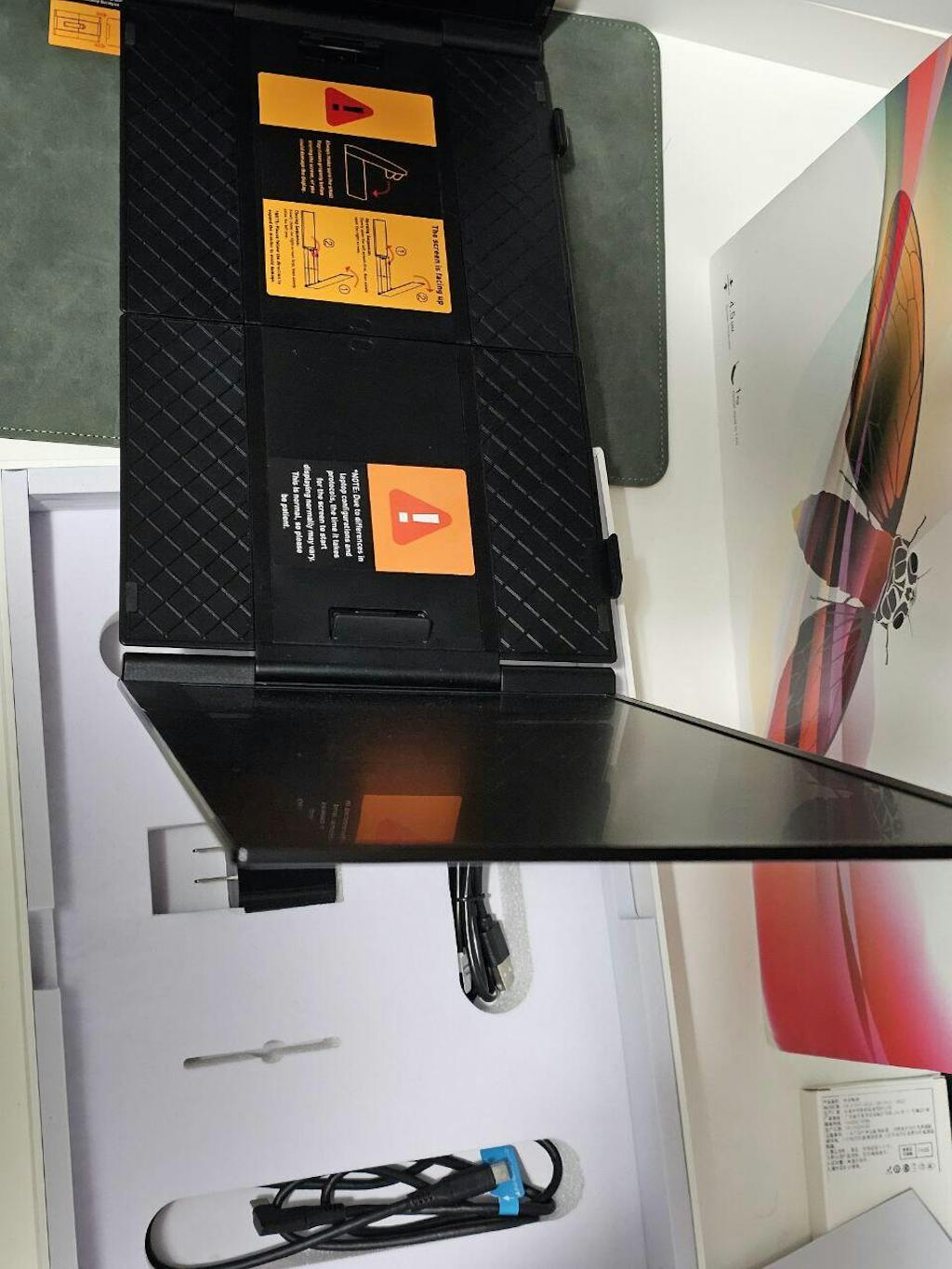
In-Box Contents

  • S8Ultra Dual 14” Screen Monitor
  • 2× USB-C to USB-C Cable
  • 1× USB-A to USB-C Cable
  • 1× Power Adapter
  • 1× USB Flash Drive (Driver & Manual)
  • 1× Protective Carrying Bag (Mouse Pad)
  • 1× User Manual

Additional Information

  • Power Supply: via laptop or external power adapter
  • Certifications: CE, FCC, RoHS

Real Product Pictures

TUTT S8Ultra Monitor TUTT S8Ultra Monitor TUTT S8Ultra Monitor TUTT S8Ultra Monitor TUTT S8Ultra Monitor TUTT S8Ultra Monitor TUTT S8Ultra Monitor TUTT S8Ultra Monitor

Unboxing TUTT S8 Ultra – The 14” Dual Portable Monitor for Laptop | One Cable, Triple Screen Power

Explore the unboxing of the TUTT S8 Ultra 14” Dual Portable Monitor — featuring its compact design, single-cable USB-C connection, and triple-screen productivity setup for both Mac and Windows laptops.


TUTT S8Ultra – Technical Support & Setup Guide

1. System Compatibility

  • Supported Laptops: 13” to 17”
  • Operating Systems: Windows 10/11, macOS (Intel & Apple Silicon), Linux, Android, ChromeOS, Samsung DeX
  • Device Compatibility: Laptops, smartphones, gaming consoles (Switch, PS4/PS5), mini PCs
  • Port Requirement:
    • Full-featured USB-C (for single cable setup)
    • USB-A (with driver installation + power adapter)

2. Connection Methods

A. Single USB-C Cable (Recommended)
  • Connect one USB-C to USB-C cable from your laptop’s full-featured Type-C port to the monitor
  • Transmits both video and power
  • No drivers or external power needed
B. USB-A to USB-C + Power Adapter (Alternative)
  • Use this method if your laptop lacks USB-C with DisplayPort Alt Mode
  • Connect:
    • USB-A to USB-C (data only)
    • Power adapter (included) to the monitor’s PD port
  • Requires driver installation (see Section 3)
C. Power Stability Mode
  • If the screen shows “No Signal” or is unstable, connect the external power adapter
  • A 10W (5V/2A minimum) power supply is required

3. Driver Installation (For USB-A or non-DP USB-C)

  • Insert the included USB flash drive
  • Run the appropriate driver installer for your OS
  • Follow on-screen prompts
  • Restart system if prompted

Note: No driver needed for most laptops with full-featured USB-C (DisplayPort).


4. Monitor Configuration & Display Modes

Display Modes Supported
  • Extend – Use screens as independent workspaces
  • Mirror / Duplicate – Clone the primary screen
  • Portrait / Landscape – Rotate as preferred
  • Auto Layout – Arrange screens for productivity
Screen Adjustment
  • Rotate screens up to 180°
  • Adjust angle/elevation via built-in kickstand
  • Ideal for shared viewing or meetings

5. Sound Output Setup

Windows 10 / 11
  1. Right-click speaker icon > Open Sound Settings
  2. Under “Output,” select S8 ULTRA – Speaker
  3. Adjust volume and settings
macOS (Ventura and newer)
  1. System Settings > Sound
  2. Select S8 ULTRA under Output devices
  3. Adjust system or app-based output

6. Display Settings

Windows
  1. Right-click desktop > Display Settings
  2. Rearrange displays by dragging
  3. Select:
    • Extend desktop
    • Duplicate
  4. Set resolution to 1920×1080 and 60Hz
macOS
  1. Go to System Settings > Displays
  2. Set resolution and refresh (60Hz)
  3. Use “Arrangement” tab for positioning
  4. Hold Option and drag to mirror
  5. Move menu bar to change primary

7. Operation & Handling Instructions

  • Opening: Open left screen → right screen → extend arms
  • Closing: Reverse the above sequence
  • Avoid forcing hinges
  • Always use the protective case during transport

8. On-Screen Controls & Features

  • Press multi-function button for menu
  • Adjust Brightness, Contrast, Volume (0–100)
  • Long press (5 sec) to power off
  • Use side “+” and “–” for quick changes
  • Built-in stereo speakers for media, meetings
  • Reverse charging (4.25A max via USB-C PD)

9. Included Accessories

  • Dual 14” Portable Monitor (S8Ultra)
  • 2 × USB-C to USB-C Cable
  • 1 × USB-A to USB-C Cable
  • 1 × 10W Power Adapter
  • 1 × USB Flash Drive (drivers/manuals)
  • 1 × Protective Bag
  • 1 × Printed User Manual

10. Important Safety & Usage Tips

  • Hold cable heads during plug/unplug
  • Use only provided power adapter
  • Follow open/close sequence exactly
  • Do not press screens during closure
  • Use in safe temperature range (0°C–40°C)

How to Connect TUTT S8Ultra to Your Laptop | Single Cable Setup & Power Guide

Quick walkthrough for S8Ultra single-cable USB-C connection, display detection, and recommended power tips for a stable dual-screen setup on Mac and Windows.

TUTT S8Ultra Driver Installation Guide | How to Install the Driver for Display Connection

Step-by-step driver installation tutorial for the TUTT S8Ultra Portable Monitor — learn how to properly install the display driver to ensure smooth connectivity and full compatibility with USB-C and HDMI laptops.

How to Open and Store TUTT S8Ultra | Portable Triple Screen Monitor Setup & Care

Learn how to safely open, adjust, and store your TUTT S8Ultra Portable Triple Screen Monitor — including folding instructions, setup positioning, and long-term care tips for optimal protection and durability.

TUTT S8Ultra 14” Portable Monitor for Laptop | Single Cable Connection | Ultra Slim-Light

The TUTT S8Ultra Portable Monitor for Laptop is a triple-screen extender designed for 13–17” laptops, offering dual 14-inch FHD IPS displays in an ultra-thin, aerospace-grade aluminum frame. Its primary advantage is a true single-cable connection, transmitting both power and video through one USB-C cable—eliminating the need for adapters or multi-cable setups.

TUTT S8Ultra 14” Portable Monitor | Unboxing & Setup Guide
Discover the TUTT S8Ultra 14” Portable Monitor in this complete unboxing and setup guide. Featuring a slim, travel-ready design and seamless laptop compatibility, the S8Ultra expands your workspace instantly for enhanced productivity at home, in the office, or on the go.

Customer Reviews

Based on 48 reviews
79%
(38)
19%
(9)
0%
(0)
2%
(1)
0%
(0)
A
Anonymous (Canada)
Recommended

Fits perfectly on my Mac.

Y
Yǔtóng M. (Canada)
Good price

Good price and I received a mug warmer with it! Thank you

Z
Zina C. (Canada)
Slick design

very light. It completely wraps around my laptop

e
ebee j. (Canada)
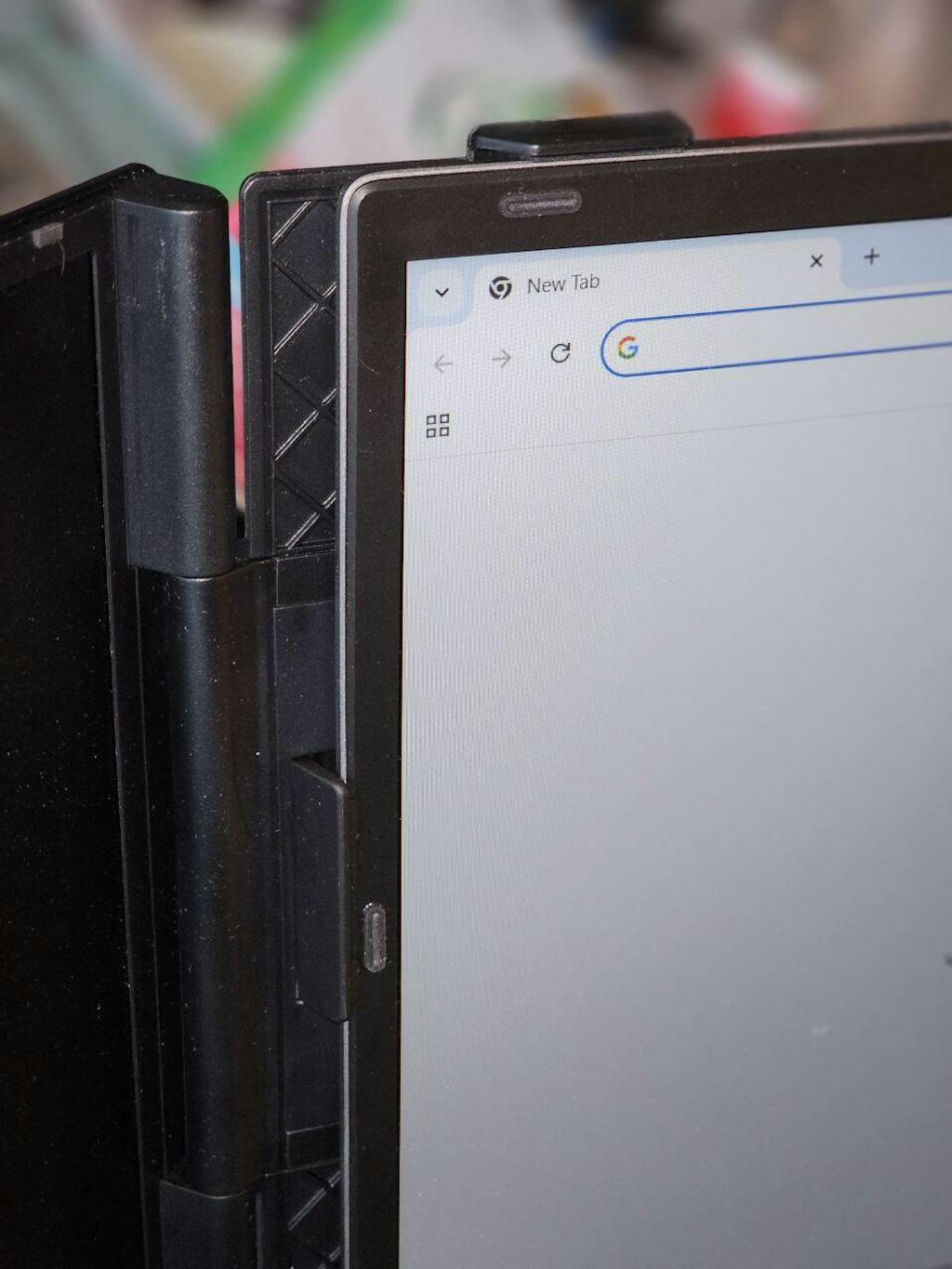
elegance monitor's holder

I liked the elegance of the clips and s8 monitor's holder on laptop.
A
Anna (Canada)
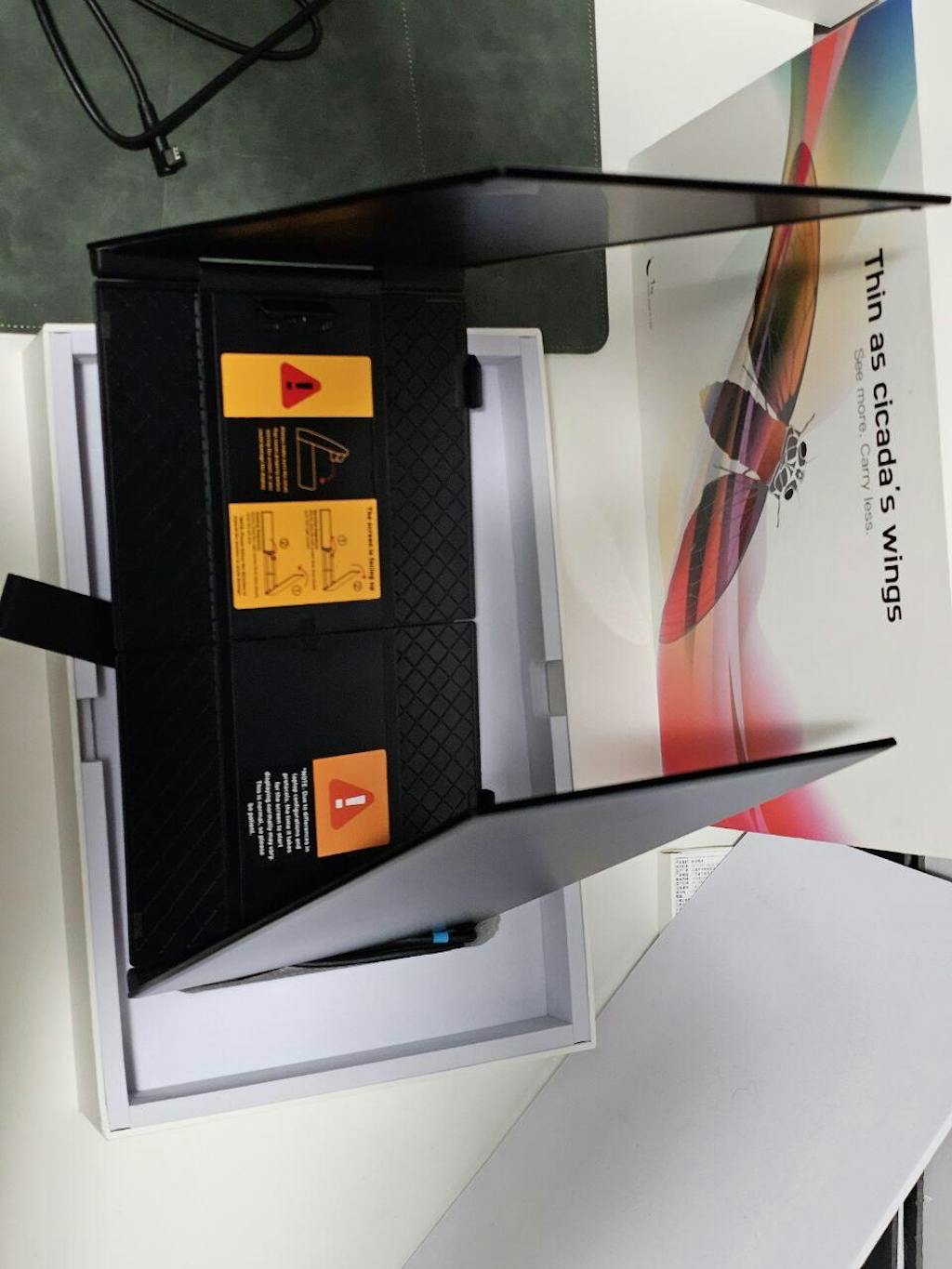
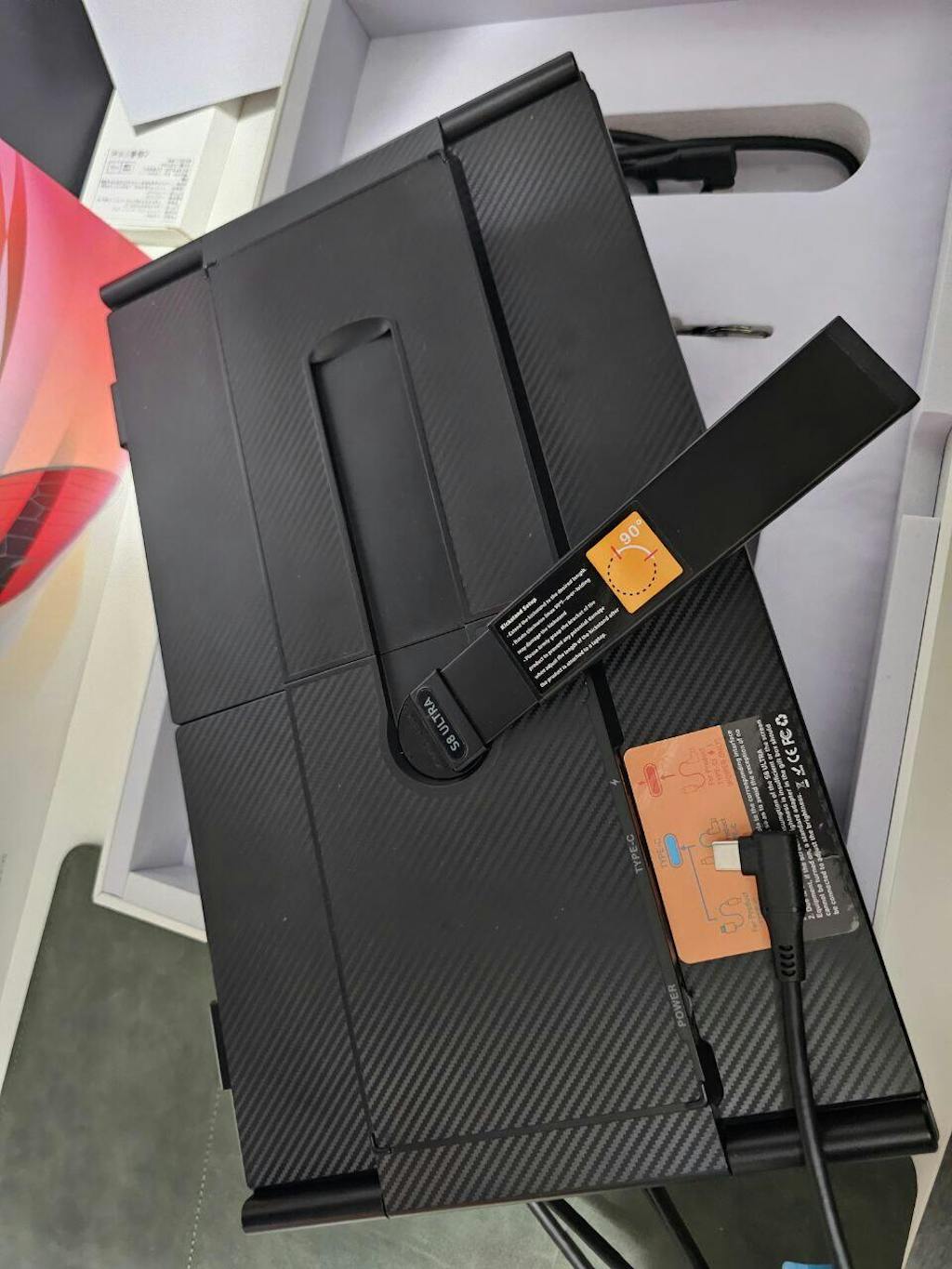
Very light and thin

I saw my colleague's portable monitors and all of them are heavy and bulky. This one is something else. incomparable lightweight and thin
L
Linen G.H. (Canada)
Bundle order

Our 2 nd business purchase. Quality: Almost similar to S1
Difference: Ultralight, It snaps on top of laptop and holds it tightly

K
Kim D. (Canada)
Simply works

single-cable USB-C connection.

B
Benoti K. (Canada)
ultra slim and light, ok with high price point.

We have one S6 dual screen extender in office, more stationary, but This screens are ultra slim and light, so it’s easy to carry with my laptop and set up anywhere. Personal recommendation : I use it with L1 power bank for more portability. This setting works well for me while on the move.

S
Sevin W. (Canada)
Very lightweight reliable performance

easy to carry between home, work, and travel without adding much bulk to my bag

S
Sylvie R.
Best investment for my Mac

Actually plug and play. I was worried about drivers on my work laptop but it just worked via USB-C. The 300 nits brightness is more than enough for indoor office use.

Community Spotlight

Your Content.
Your Choice of Reward.

We believe the best way to showcase our products is through the eyes of our customers. Share your high-quality photos and videos to help others, and we will thank you with a personalized gift.

The Token of Appreciation:
Choose any product under $100 from our store as our gift to you once your submission is verified.
01 Capture Your Experience
Video (2-4 mins): Unboxing, tutorials, or helpful demonstrations.
Photos: Two or more high-resolution lifestyle images.
02 Submit Your Entry
Direct Orders: Post a Verified Review on our site or email us.
Marketplace Orders: Email files + Order # to info@tutt.world.
03 Receive Your Gift
Once verified, we will reach out to coordinate your $100 gift selection and provide tracking for your gift box.

Free Shipping Canada

Technical Support

Secured Payment

Limited Warranty 1-Y

You May Also Like: 

Instagram 

YouTube

TUTT S8Ultra 14” Portable Monitor for Laptop | Single Cable Connection | Ultra Slim-Light | Plug & Play USB-C | Laptop Screen Extender for Mac/Win

$449.90

Compare products

{"one"=>"Select 2 or 3 items to compare", "other"=>"{{ count }} of 3 items selected"}

Select first item to compare

Select second item to compare

Select third item to compare

Compare